
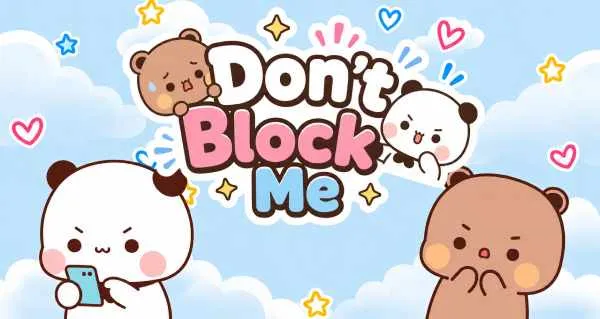
Don't Block Me
Build a quiz about yourself and find out which friends really know you.
About the game
Don't Block Me turns ten personal questions into a friendship showdown. Build a quiz about yourself, send the link to your group chat and watch scores roll in — anyone who guesses badly earns a playful spot on the block list. Quizzes are made and answered right in your browser, no account needed.
Game info
- Genre
- Social Quiz
- Categories
- Casual
- Developer
- YouTest.me
- Added
- October 12, 2026
- License
- Embedded from the official YouTest.me game site (block.youtest.me) with referral attribution via utm_source
Game features
- Ten quick questions per quiz — money habits, favorite cartoons, texting style, school days, sleeping position and more
- Every quiz is personalized: questions address the creator by name and pronoun
- A unique share link for every quiz, with direct sharing to WhatsApp, Instagram, Snapchat, Facebook, Messenger and Telegram
- Scores out of 10 — the closer a friend's guesses land to your answers, the higher they rank
- Skip Question lets creators pass on any prompt they would rather not answer
- Works without an account — type a first name and start building
How to play
Pick Create quiz, type the name friends will see and choose Male or Female, then ten multiple-choice prompts follow — skip any you would rather not answer. When the quiz is ready you get a personal link: send it through WhatsApp, Instagram or Snapchat, or copy it straight from the share panel. Friends open the link, guess your answers to the same ten questions and score a point for every match. Tap Check Scores any time to rank the results — high scores prove true friends, low scores land on the block list.
Tips & strategies
- 1.Answer honestly — the joke collapses when nobody can guess your real favorite cartoon.
- 2.Send the link to a group chat instead of one friend at a time; the scoreboard gets funnier as more results land.
- 3.Use Skip Question on anything too personal and the game moves straight to the next prompt.
- 4.Mix easy and niche prompts: a couple of giveaways keeps casual friends engaged, while deep cuts separate the real ones.
- 5.Come back through the share panel's Check Scores button to see who tops the list.
Screenshots
Captured from the game running on Gameplo.
Controls
| Pick an answer | Left click or tap |
|---|---|
| Skip a question | Skip Question button |
| Share your quiz | SHARE NOW! button |
| Touchscreen | Fully touch-friendly — every step from name entry to sharing works by tap. |
Troubleshooting
Quiz stuck on a loading screen? Refresh the page — the game needs JavaScript and a steady connection. Share links open on block.youtest.me, so a stale or edited link will miss your quiz; ask the creator to resend it. If the copy button stays quiet inside the embedded frame, select the link text and copy it manually, or use the in-game share buttons.
Frequently asked questions
What is Don't Block Me?
A free social quiz game on YouTest.me. You answer ten questions about yourself, share the generated link, and friends guess your answers to prove how well they know you.
Is Don't Block Me free?
Yes — no account, download or payment. Type a first name, answer ten questions and your quiz link is ready to share.
How is each friend scored?
Each quiz is scored out of 10: friends earn a point for every answer that matches what you picked. Tap Check Scores to see the ranking.
Can I play Don't Block Me alone?
You can build a quiz solo, but the game is built around comparing results. Share your link first — before anyone plays, Check Scores simply reminds you to send it out.
Do my friends need an app or account?
No. Anyone with your link can play in a browser — the quiz opens straight on the YouTest.me site.